Compare · Stoa and Float
Stoa and Float: two honest answers to “who works on what?”
Float is a resource management and scheduling tool for professional services teams. Stoa is a daily planner for small teams. Both put people on projects; they differ in how far they go and in what they ask of you each day.
Written on , from Float’s public website (float.com) and our own product. Products change; check Float’s site for their current features and prices. Float is a trademark of its owner, and this page is not affiliated with or endorsed by them.
What Float is built for
Float describes itself as resource management software for professional services: agencies, consultancies, architecture and engineering firms. Its core is a schedule where you allocate people to projects in hours or as a percentage of their time, alongside their capacity and time off. Around that schedule it offers project budgets and cost estimates, time tracking on its Pro plan, reports and dashboards on utilisation and capacity, calendar sync with Google and Outlook, and an API and Zapier connection. Guests can view schedules for free.
If your main questions are about capacity planning across many projects, forecasting utilisation, and keeping projects on budget, Float is a mature and focused tool for exactly that.
What Stoa is built for
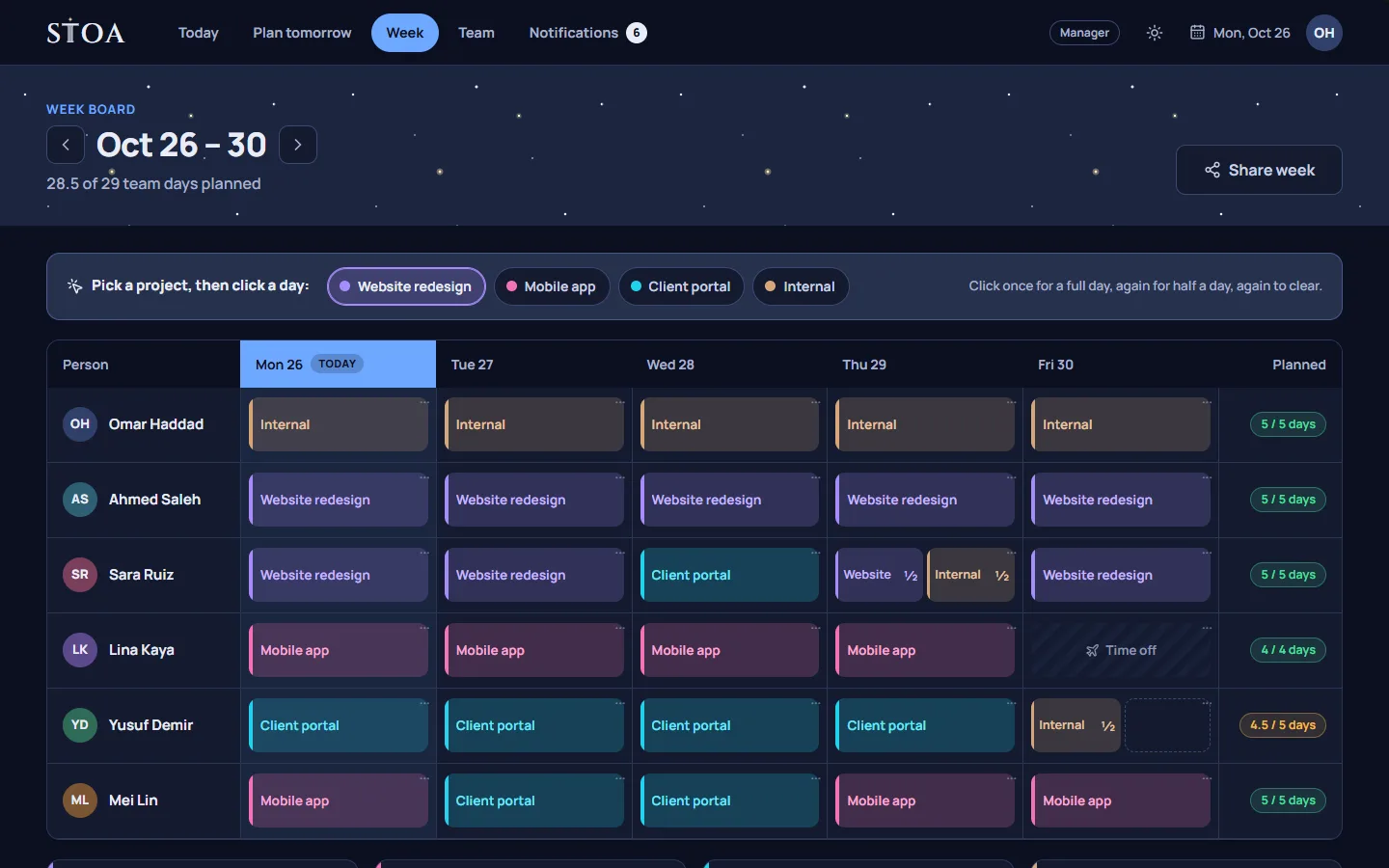
Stoa is narrower and more daily. It has a week board where managers place people on projects by full or half days, but its centre is the evening: each person plans tomorrow, and the tomorrow check flags an overbooked day, a task waiting on someone else, a deadline at risk, or a clash with someone’s time off. At the end of each day, people confirm what happened, and unfinished work moves to tomorrow, back to the week, or is dropped.
Stoa does not offer budgets, cost rates, utilisation reports, or calendar sync. It does have a read-only ICS calendar feed, CSV import, and read-only links for sharing the week.
Side by side
| Topic | Float | Stoa |
|---|---|---|
| Main job | Resource scheduling and capacity planning | The team’s week and each person’s next day |
| Planning unit | Hours or percentage of time | Full or half days on the week; hours on tomorrow’s plan |
| Daily plan per person | Not its focus | Yes, made the evening before, with a check |
| Budgets and reports | Yes | No |
| Time tracking | Yes, on Pro | No timers; hours come from the confirmed plan |
| Integrations | Calendar sync, API, Zapier, and others | CSV import and an ICS calendar feed |
| Pricing model | Per scheduled person, per month | One price per team, from 2 to 30 people |
| Free trial | 30 days on Pro, no card | 14 days on every plan, no card |
Pricing, in plain terms
At the time of writing, Float’s pricing page listed a Starter plan at $7 and a Pro plan at $12 per scheduled person per month, with a custom-priced Enterprise plan. Stoa charges one price for the whole team: from $9.99 a month for 2 people to $89 a month for up to 30, with annual billing at ten months’ price. For a team of ten, the difference depends on which Float plan you would need; the Stoa pricing page lists every plan.
When Float is the better choice
- You need project budgets, cost rates, or profitability tracking.
- You report on utilisation and capacity across many people and projects.
- You want time tracking in the same tool as the schedule.
- You rely on integrations with calendars and other systems.
- Your team is larger than 30 people.
When Stoa is the better choice
- Your team is small, from 2 to 30 people, and wants one flat price.
- You want each person to plan their own next day, not just be scheduled.
- Your real problems are handoffs, overbooked days, and surprises at 10 AM.
- You prefer planning in days on the week and leaving hours to the person.
- You would rather not run timers or time tracking at all.
Using both
Some teams would reasonably use a resource tool for long-range capacity and a daily planner for tomorrow. That works, but it means keeping two schedules in step, which most small teams will not want. If you are a small team and your week is usually clear but your days go wrong, start with Stoa. If your week is the hard part and you need numbers to defend it, Float is built for that.
Plan tomorrow tonight, starting this week.
14 days free, no card needed. One price covers the whole team, from 2 to 30 people.